3.4.4.3. Masking bands
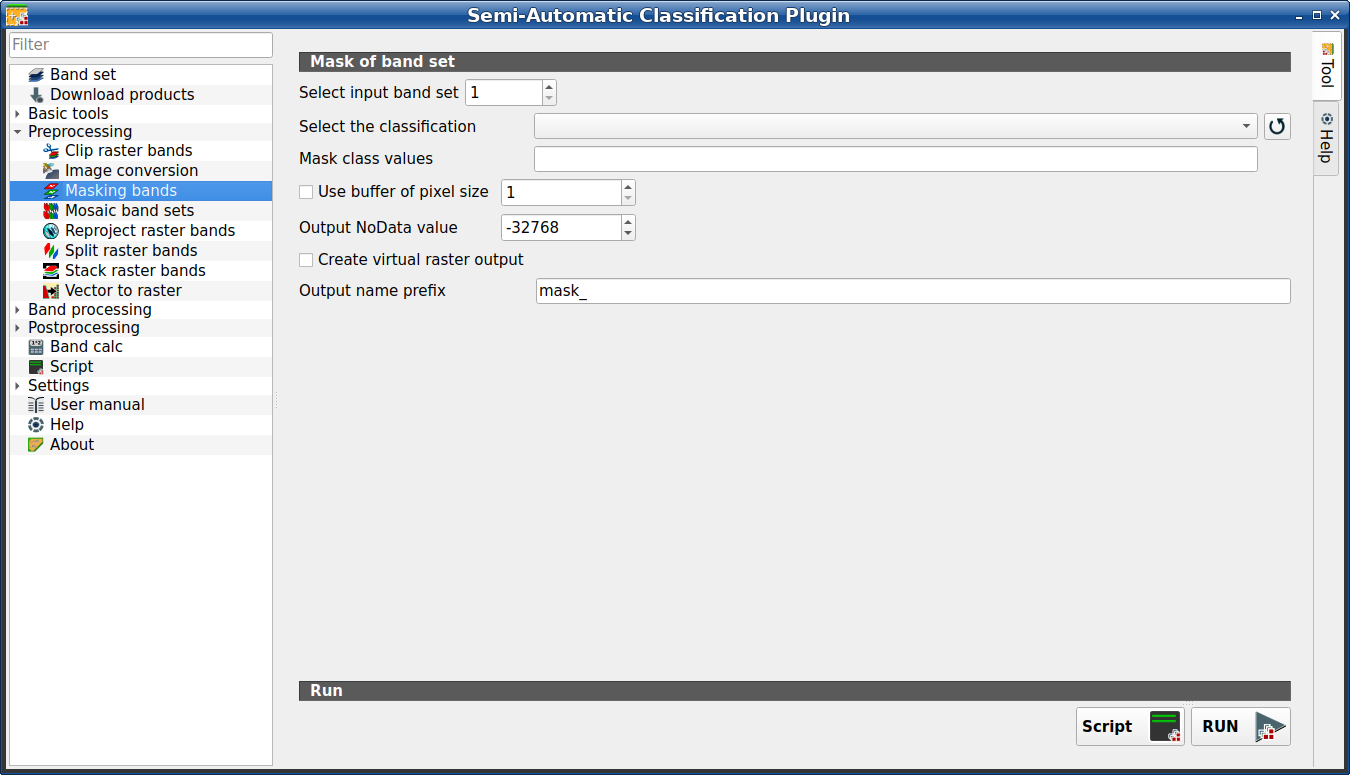
Masking bands
This tool allows for masking bands, based on the values of a raster mask,
creating an output masked band for each band of the Band set (complete interface).
NoData is set in all the bands of the Band set (complete interface) for pixels
corresponding to the mask.
Astuce
Information about APIs of this tool in Remotior Sensus at this link .
3.4.4.3.1. Mask of band set
Tool symbol and name |
Description |
|---|---|
Select input band set |
select the input Band set (complete interface) to be masked |
Select the classification |
select a classification raster (already loaded in QGIS) which contains a mask class |
|
refresh layer list |
Mask class values |
set the class values to be masked; class values must be separated
by |
|
if checked, a buffer is created for masked area, corresponding to the defined number of pixels; this can be useful to dilate masked area |
Output NoData value |
set the value of |
Output name prefix |
set the prefix for output file names (default is |
Script |
add this function to the Script (complete interface) |
RUN |
run this function |


