3.4.5.6. Neighbor (complete interface)
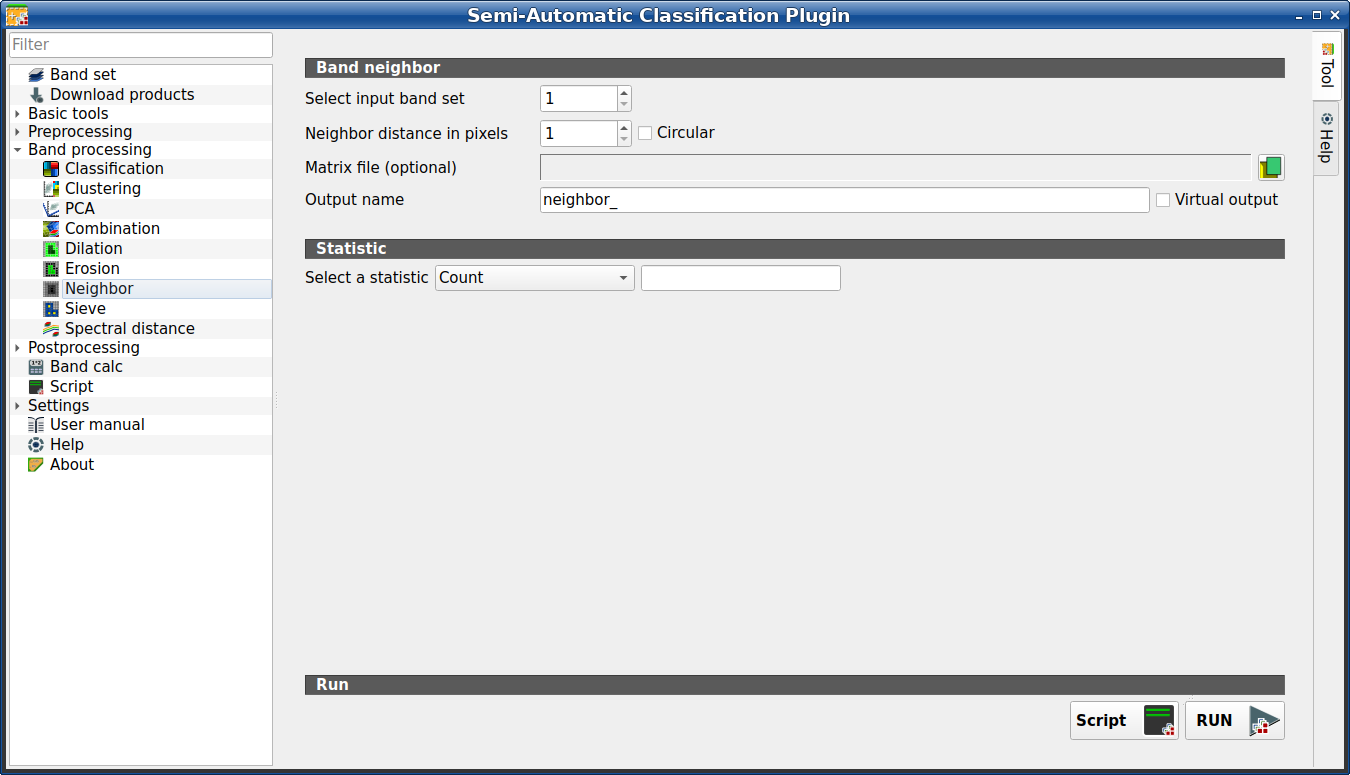
Neighbor
This tool allows for the calculation of several neighbor pixels statistics for every band of a band set defined in the Band set (complete interface). It is loaded only if the Simplified interface is not enabled.
The statistics are calculated for every pixel of the input raster considering the values of the neighbor pixels. Neighbor pixels are defined through a distance or through a custom matrix.
For example, the following matrix represents the neighbor pixels within a distance of 1 pixel from a central pixel, resulting in a 3x3 matrix.
Neighbor |
Neighbor |
Neighbor |
Neighbor |
Center |
Neighbor |
Neighbor |
Neighbor |
Neighbor |
Several statistics are available.
The statistic Sum will result in a raster convolution.
For instance, this can be useful to apply an image filter to all the bands of a
band set for photointerpretation.
Tip
Information about APIs of this tool in Remotior Sensus at this link .
3.4.5.6.1. Neighbor
Tool symbol and name |
Description |
|---|---|
Select input band set |
select the input Band set (complete interface) |
Neighbor distance in pixels |
create a window defining the size based on the distance from the center (in number of pixels) |
|
if checked, the window will be circular |
Matrix file (optional) |
select a |
Output name |
set the name prefix for output files |
|
if checked, the output is created as virtual raster composed of as
many |


3.4.5.6.2. Statistic
Tool symbol and name |
Description |
|---|---|
Select a statistic |
select a statistic among: Count, Max, Mean, Median, Min, Percentile, StandardDeviation, Sum. For Percentile statistic it is possible to enter the percentile value. |


3.4.5.6.3. Run
Script
add this function to the Script (complete interface)
RUN
run this function

