3.4.6.7. Reclassification
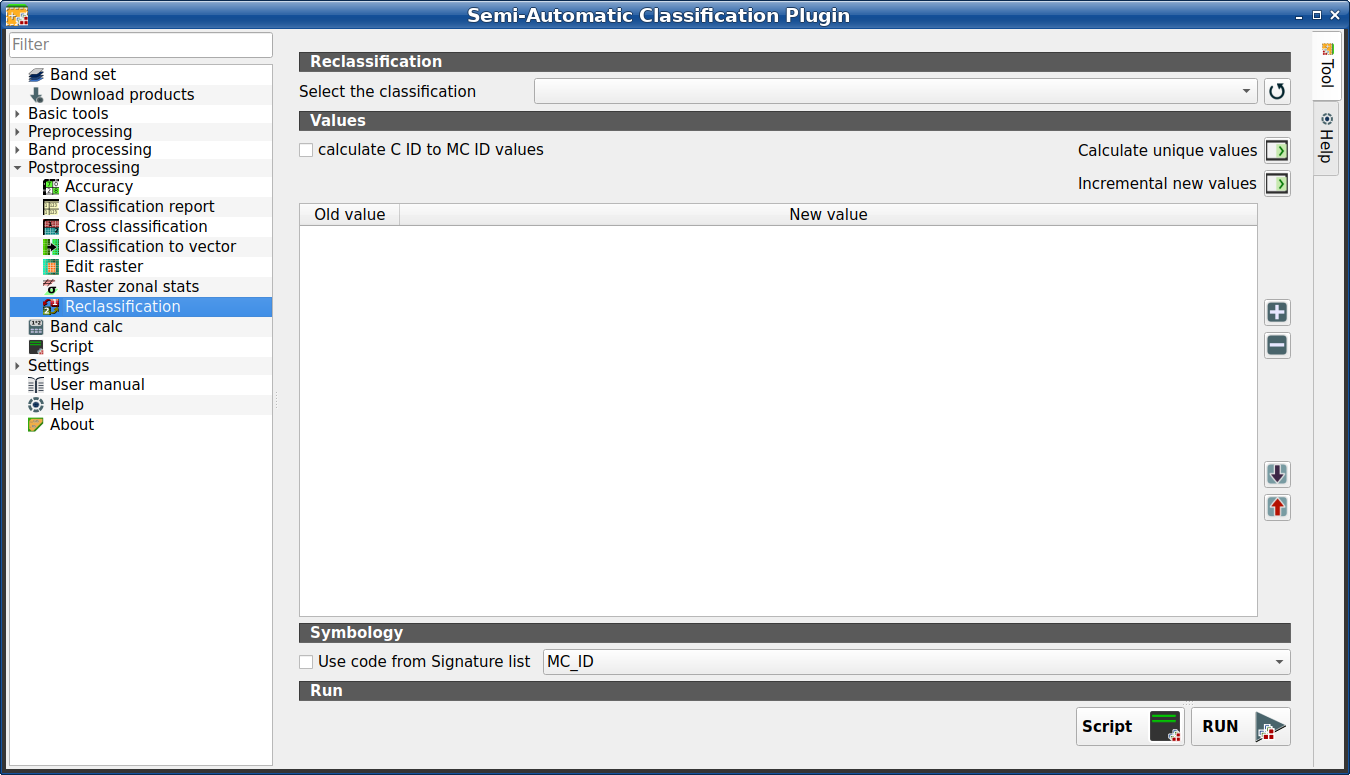
Reclassification
This tab allows for the reclassification (i.e. assigning a new class code to raster pixels). In particular, it eases the conversion from C ID to MC ID values.
This tool supports virtual raster output; if the output file name ends
with .vrt then the output is created as virtual raster composed of as many
.tif files as the number of CPU threads defined in
System; for large rasters this can speed up the process.
Tip
Information about APIs of this tool in Remotior Sensus at this link .
3.4.6.7.1. Reclassification
Tool symbol and name |
Description |
|---|---|
Select the classification |
select a classification raster (already loaded in QGIS) |
|
refresh layer list |


3.4.6.7.2. Values
Tool symbol and name |
Description |
|---|---|
|
if checked, the reclassification table is filled according to the
ROI & Signature list when Calculate unique values |
Calculate unique values |
calculate unique values in the classification and fill the reclassification table |
Incremental new values |
calculate a new incremental value (e.g. 1, 2, 3, …) for every old value and fill the reclassification table |
|
add a row to the table |
|
remove highlighted rows from the table |
|
import rules from a text file .csv separated by comma having the
following structure |
|
export the reclassification table to a text file (.csv) that can be imported later |


The reclassification table is structured with the following fields.
Old value |
New value |
|---|---|
value or expression defining old values to be reclassified |
integer value for the corresponding |
Old value can be a value or an expressions defined using the variable name
raster (custom names can be defined in Variable name for expressions ),
following Python operators (e.g.:
raster > 3select all pixels having value > 3 ;(raster > 5) | (raster < 2)select all pixels having value > 5 or < 2 ;(raster >= 2) & (raster <= 5)select all pixel values between 2 and 5.
3.4.6.7.3. Symbology
Tool symbol and name |
Description |
|---|---|
|
|
3.4.6.7.4. Run
Tool symbol and name |
Description |
|---|---|
Script |
add this function to the Script (complete interface) |
RUN |
run this function |

