3.4.5.9. Spectral distance (complete interface)
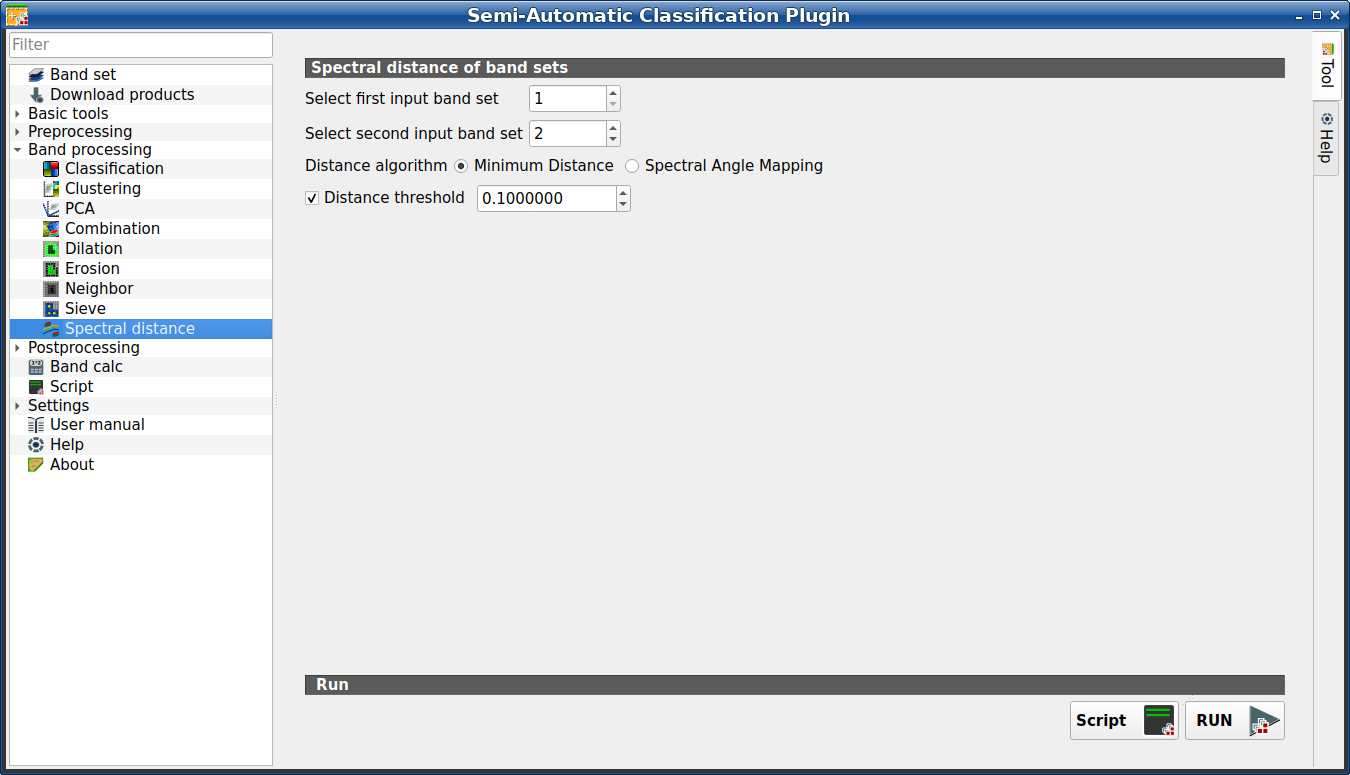
Spectral distance
This tab allows for calculating the spectral distance between every corresponding pixel of two band sets. It is loaded only if the Simplified interface is not enabled.
The output is a raster containing the spectral distance of each pixel. Optionally, a threshold can be defined for creating a binary raster (0-1) of values below and above the threshold.
This tool supports virtual raster output; if the output file name ends
with .vrt then the output is created as virtual raster composed of as many
.tif files as the number of CPU threads defined in
System; for large rasters this can speed up the process.
Tip
Information about APIs of this tool in Remotior Sensus at this link .
3.4.5.9.1. Spectral distance of band sets
Tool symbol and name |
Description |
|---|---|
Select first input band set |
select the first input Band set (complete interface) |
Select second input band set |
select the second input Band set (complete interface) |
Distance algorithm
|
select Minimum Distance or Spectral Angle Mapping for spectral distance calculation |
|
if checked, a binary raster of values below and above the threshold is created |


3.4.5.9.2. Run
Tool symbol and name |
Description |
|---|---|
Script |
add this function to the Script (complete interface) |
RUN |
run this function |

