3.1. SCP menu
The SCP menu allows for the selection of the functions of the Main Interface Window. If the Simplified interface is active, the SCP simplified menu is displayed.
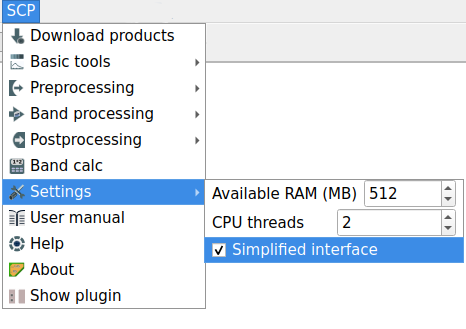
SCP simplified menu
If the Simplified interface is not active, the complete SCP complete menu is displayed. The SCP complete menu includes all the functions available in SCP.
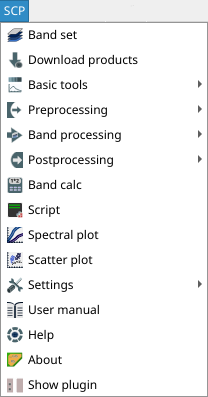
SCP complete menu
3.1.1. SCP simplified menu
|
|
|
|
|
|
|
|
|
|
|
|
|
display the settings |
|
User manual: open the online user manual in a web browser |
|
Online help: open the Online help in a web browser; also, a Facebook group is available for sharing information and asking for help about SCP |
About |
Information about the plugin |
|
Show plugin: show all the SCP toolbars and dock if previously hidden |


3.1.2. SCP complete menu
|
|
|
|
|
|
|
|
|
|
|
|
|
|
|
|
|
|
|
|
|
|
|
User manual: open the online user manual in a web browser |
|
Online help: open the Online help in a web browser; also, a Facebook group is available for sharing information and asking for help about SCP |
About |
Information about the plugin |
|
Show plugin: show all the SCP toolbars and dock if previously hidden |


