3.4.9. Settings
The tab  Settings allows for the customization
of SCP.
Settings allows for the customization
of SCP.
The Simplified interface is loaded after the first installation of the plugin. The Complete interface can be loaded from the settings in the SCP menu, by deselecting Simplified interface and restarting QGIS.
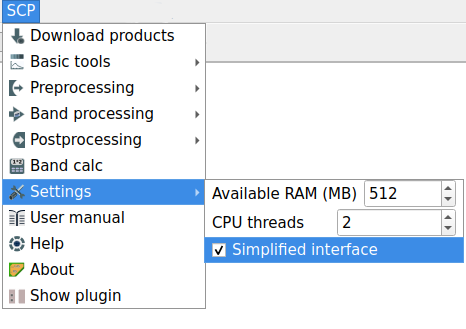
SCP menu with activated option for the simplified interface
The Simplified interface has the following options:
Tool symbol and name |
Description |
|---|---|
Available RAM (MB) |
set the available RAM (in MB) that is used during the processes in order to improve the SCP performance; this value should be half of the system RAM (e.g. 2048MB if system has 4GB of RAM) |
CPU threads |
set the number of threads available for processing; it is recommended to set a value lower than the maximum number of system threads (e.g. if the system has 4 available threads set the value 3) |
|
if active, use the Simplified interface, otherwise use the Complete interface |


