3.4.6.4. Cross classification (complete interface)
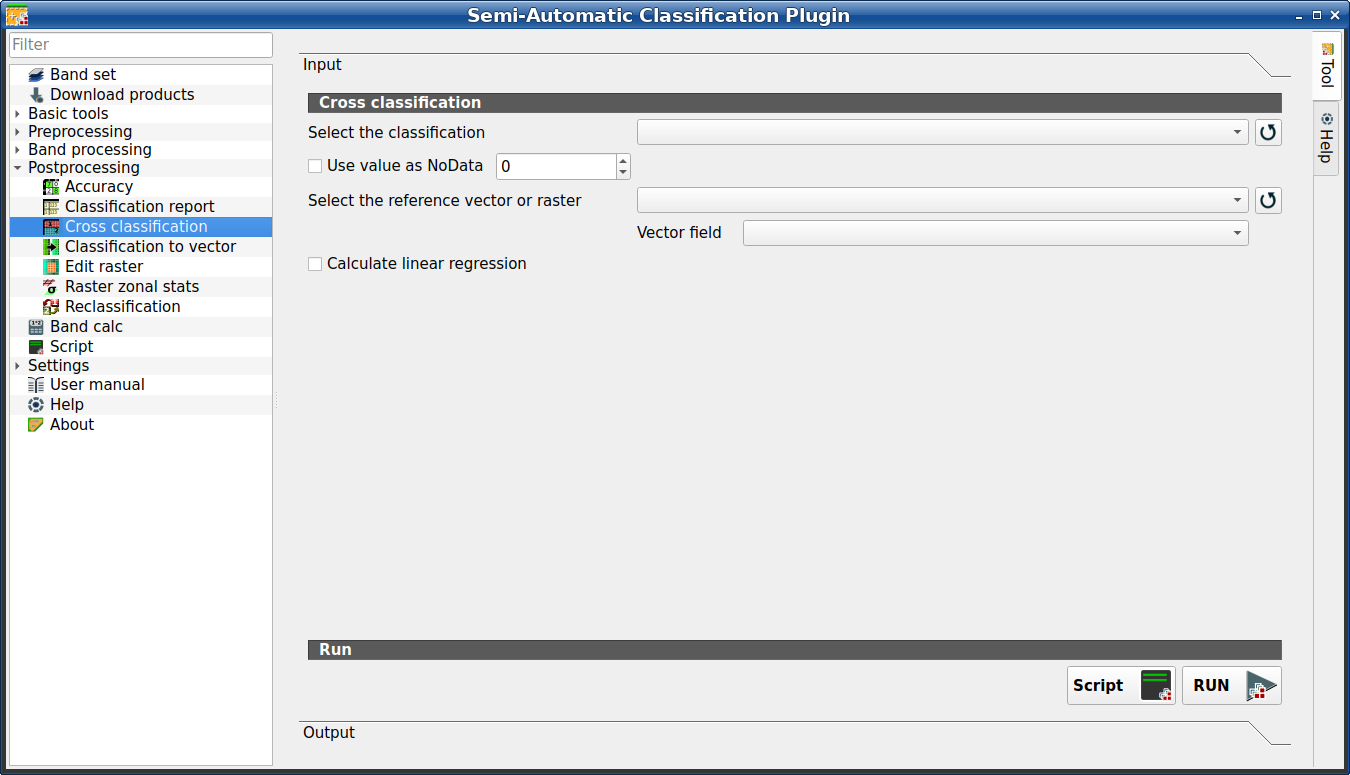
Cross classification
This tab allows for the calculation of a cross classification raster and matrix. It is loaded only if the Simplified interface is not enabled.
Classification is compared to a reference raster or reference vector (which is automatically converted to raster). This is useful for calculating the area for every combination between reference classes and classification values. If a vector is selected as reference, it is possible to choose a field describing class values.
The output is a cross raster that is a .tif file where pixel values
represent the categories of comparison (i.e. combinations identified by the
CrossMatrixCode) between the classification and reference.
Also, a text file containing the cross matrix (i.e. a .csv file) is
created with the same name defined for the .tif file.
This tool supports virtual raster output; if the output file name ends
with .vrt then the output is created as virtual raster composed of as many
.tif files as the number of CPU threads defined in
System; for large rasters this can speed up the process.
Совет
Information about APIs of this tool in Remotior Sensus at this link .
3.4.6.4.1. Cross classification
Tool symbol and name |
Description |
|---|---|
Select the classification |
select a classification raster (already loaded in QGIS) |
|
refresh layer list |
|
if checked, set the value of |
Select the reference vector or raster |
select a raster or a vector (already loaded in QGIS), used as reference layer |
|
refresh layer list |
Vector field |
if a vector is selected as reference, select a vector field containing numeric class values |
|
if checked, calculate linear regression between the two input layers |
Script |
add this function to the Script (complete interface) |
RUN |
run this function |


