3.4.6.4. Cross classification (complete interface)
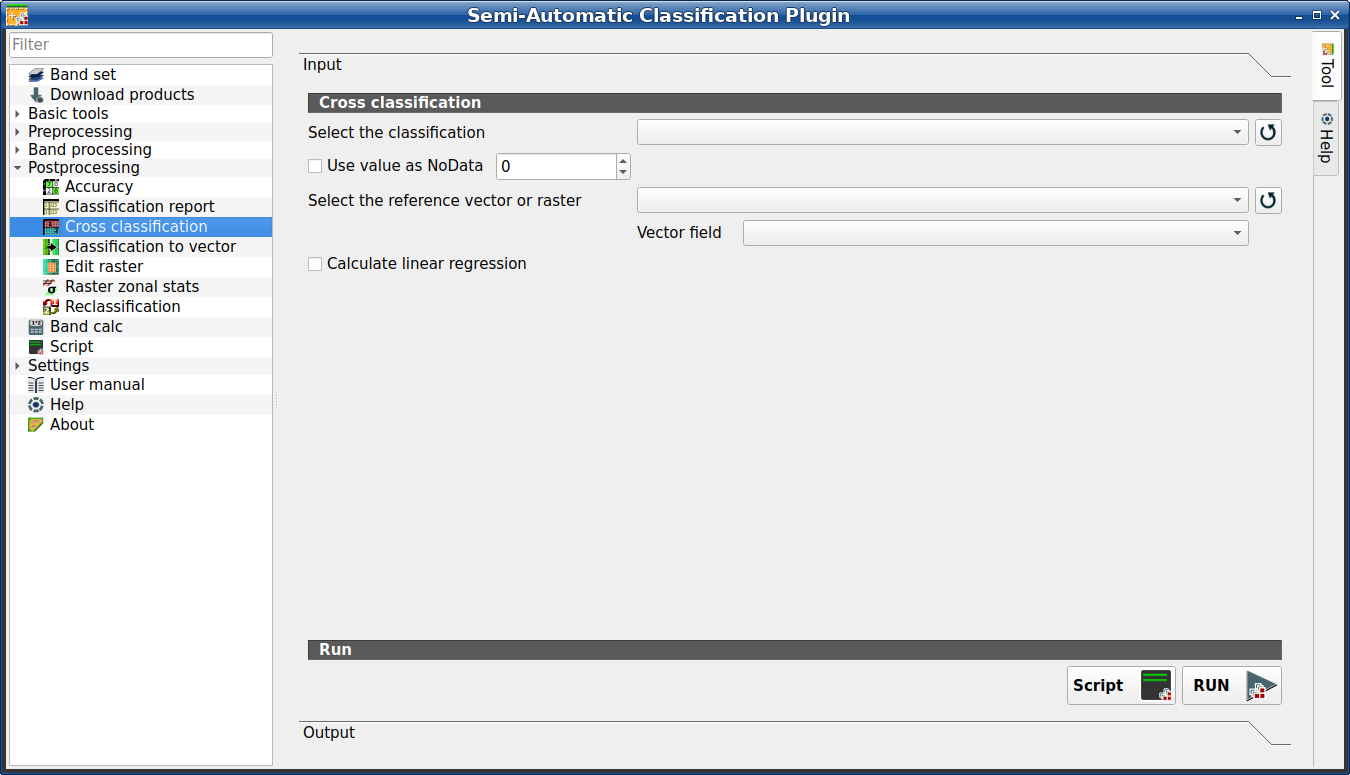
Cross classification
This tab allows for the calculation of a cross classification raster and matrix. It is loaded only if the Simplified interface is not enabled.
Classification is compared to a reference raster or reference vector (which is automatically converted to raster). This is useful for calculating the area for every combination between reference classes and classification values. If a vector is selected as reference, it is possible to choose a field describing class values.
The output is a cross raster that is a .tif file where pixel values
represent the categories of comparison (i.e. combinations identified by the
CrossMatrixCode) between the classification and reference.
Also, a text file containing the cross matrix (i.e. a .csv file) is
created with the same name defined for the .tif file.
Bu araç sanal raster çıktısını destekler; çıktı dosyası adı .vrt ile bitiyorsa, çıktı System içinde tanımlanan CPU iş parçacığı sayısı kadar .tif dosyasından oluşan sanal raster olarak oluşturulur; büyük rasterler için bu işlemi hızlandırabilir.
Tüyo
Remotior Sensus’taki bu aracın API’leri hakkında bilgi bu link adresinde.
3.4.6.4.1. Cross classification
Alet sembolü ve adı |
Açıklama |
|---|---|
Select the classification |
bir sınıflandırma rasterı seçin (QGIS’te zaten yüklü) |
katman listesini yenile |
|
|
işaretliyse, hesaplama sırasında yok sayılan |
Referans vektörünü veya rasterini seçin |
select a raster or a vector (already loaded in QGIS), used as reference layer |
katman listesini yenile |
|
Vektör alanı |
referans olarak bir vektör seçilirse, sayısal sınıf değerlerini içeren bir vektör alanı seçin |
|
if checked, calculate linear regression between the two input layers |
Script |
bu işlevi Script (complete interface) dosyasına ekleyin |
RUN |
bu işlevi çalıştırın |


