3.4.5.1. Classification
Classification
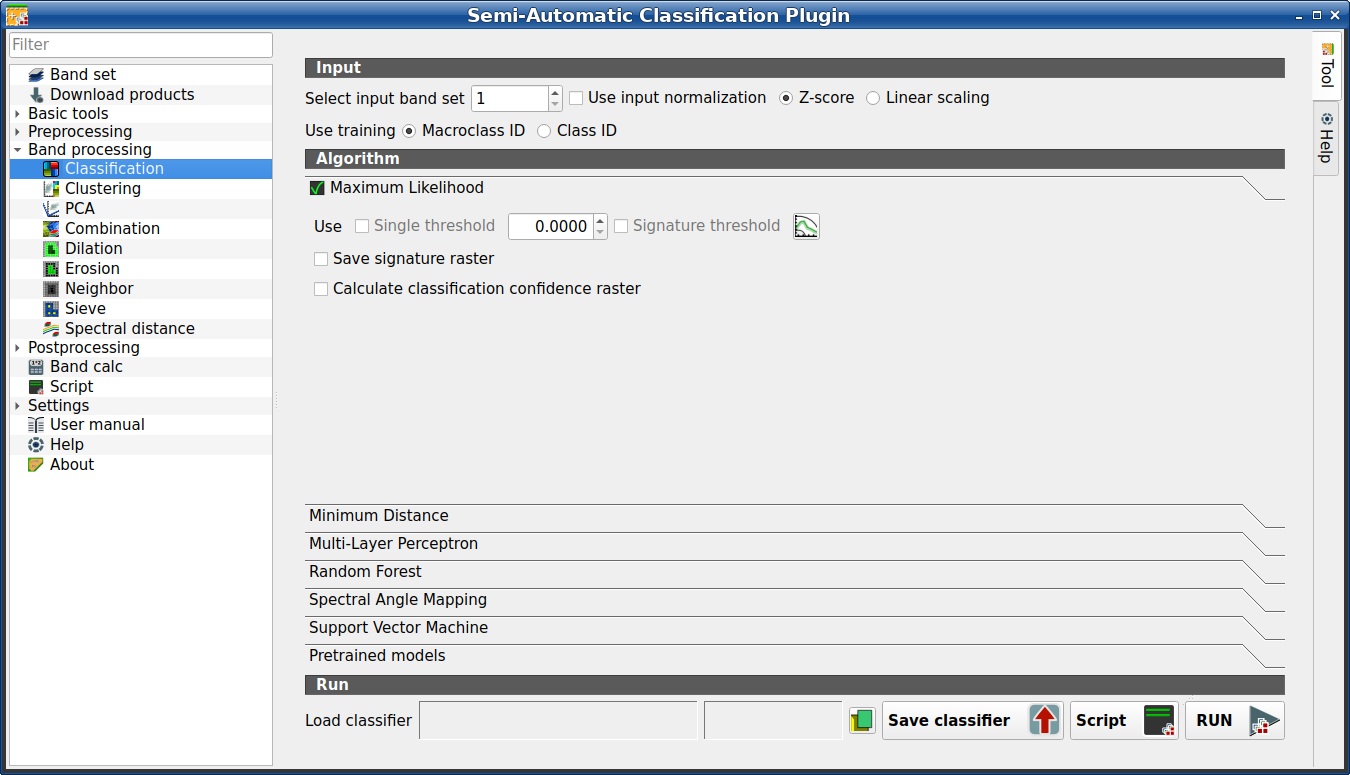
This tab allows for the classification of the Band set (complete interface) using the spectral signatures checked in ROI & Signature list. Several classification options are set in this tab which affect the classification process also during the Classification preview. Pretrained models are available, which require the installation of PyTorch.
This tool allows for the selection of one the following algorithms:
Also, it is possible to save and load a trained classifier.
Tüyo
Information about APIs of this tool in Remotior Sensus at this link .
3.4.5.1.1. Input
Tool symbol and name |
Description |
|---|---|
Select input band set |
select the input Band set (complete interface) to be classified |
|
if checked, normalize the input based on the selected method |
|
if checked with |
|
if checked with |
Use training |
if checked, the classification is performed using |
Use training |
if checked, the classification is performed using the Class ID (code C ID of the signature) |


3.4.5.1.2. Algorithm
This tool allows for the selection of the classification algorithm. The algorithm tab includes the available parameters.
3.4.5.1.2.1. Maximum Likelihood
Maximum Likelihood
Use the Maximum Likelihood algorithm.
Tool symbol and name |
Description |
|---|---|
Use single threshold |
if checked, it allows for the definition of a classification threshold (applied to all the spectral signatures); pixels are unclassified if probability is less than threshold value (max 100) |
Signature threshold |
if checked, thresholds Signature threshold (complete interface) are evaluated |
|
open the Signature threshold (complete interface) for the definition of signature thresholds |
|
if checked, in addition to the classification raster, for each spectral signature a raster is saved in the same output directory, which represents the distance between pixel and signature |
|
if checked, calculate classification confidence raster |

3.4.5.1.2.2. Minimum Distance
Minimum Distance
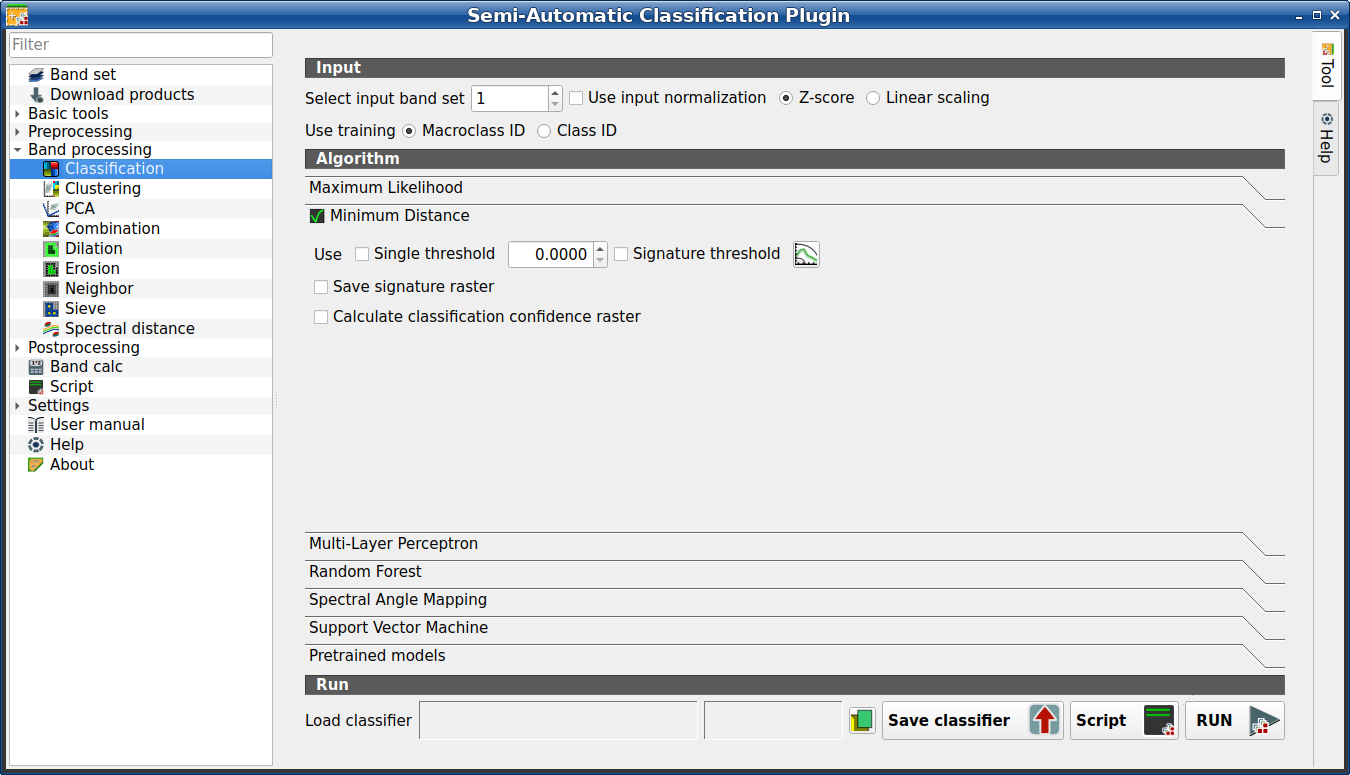
Use the Minimum Distance algorithm.
Tool symbol and name |
Description |
|---|---|
Use single threshold |
if checked, it allows for the definition of a classification threshold (applied to all the spectral signatures); pixels are unclassified if distance is greater than threshold value |
Signature threshold |
if checked, thresholds Signature threshold (complete interface) are evaluated |
|
open the Signature threshold (complete interface) for the definition of signature thresholds |
|
if checked, in addition to the classification raster, for each spectral signature a raster is saved in the same output directory, which represents the distance between pixel and signature |
|
if checked, calculate classification confidence raster |
3.4.5.1.2.3. Multi-layer Perceptron
Multi-layer Perceptron
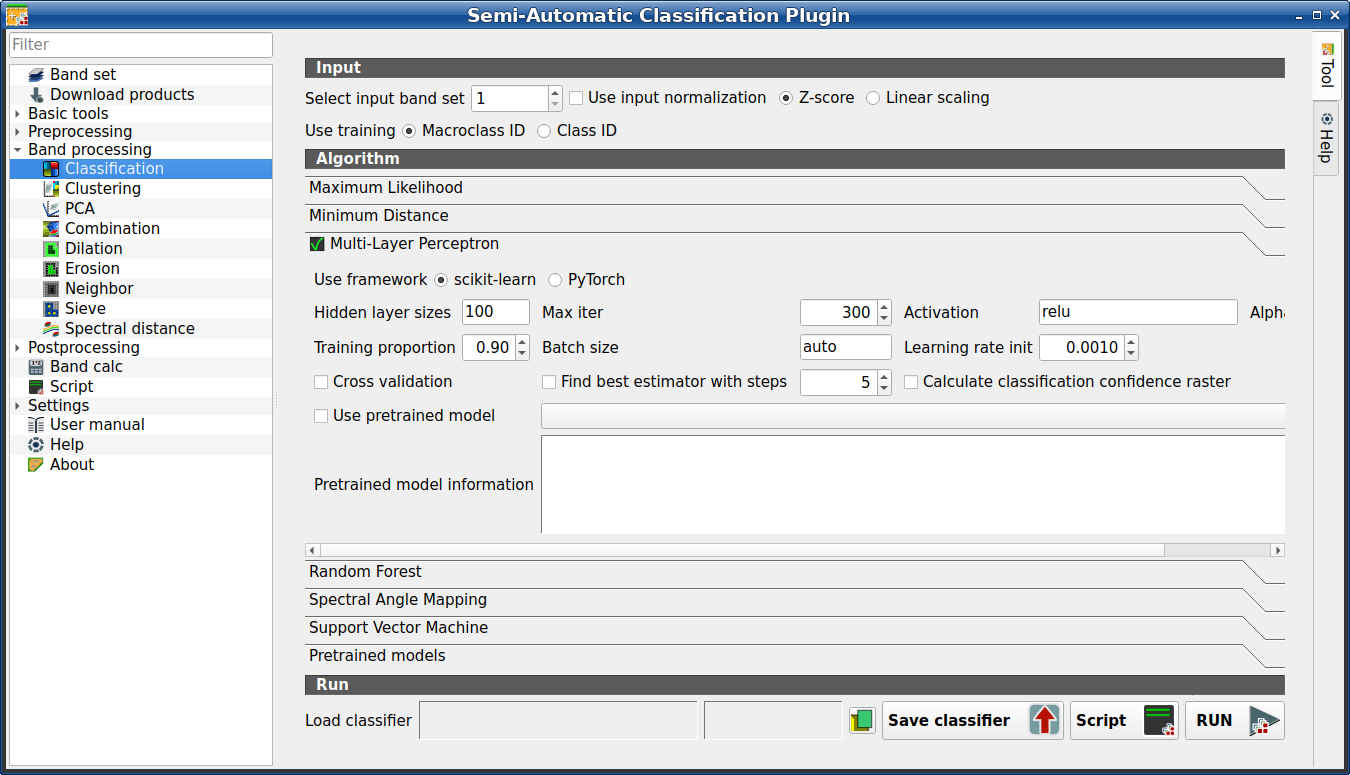
Use the Multi-Layer Perceptron algorithm.
Tool symbol and name |
Description |
|---|---|
Use framework |
if checked, use scikit-learn framework (read this) |
Use framework |
if checked, use PyTorch framework (read about this) |
Hidden layer sizes |
list of values separated by comma, where each value defines the number of neurons in a hidden layer (e.g.: 200, 100 for two hidden layers of 200 and 100 neurons respectively) |
Max iter |
set the maximum number of iterations |
Activation |
set the activation function (default: relu) |
Alpha |
set the weight decay (also L2 regularization term) for Adam optimizer |
Training proportion |
set the proportion of data to be used as training and the remaining part as test |
Batch size |
set the number of samples per batch for optimizer; if auto, the batch is the minimum value between 200 and the number of samples |
Learning rate init |
set initial learning rate |
|
if checked, perform cross validation |
|
if checked, find the best estimator iteratively with a number of steps |
|
if checked, calculate classification confidence raster |
|
if checked, use the selected pretrained model from the list |
Pretrained model information |
information about the selected pretrained model, in particular about the requirements (which input bands), band normalization, and model source. |


Cross validation is a function provided by scikit-learn to
avoid overfitting by splitting the training set into k smaller sets
(read more .
In particular, the function StratifiedKFold (with parameters n_splits=5,
shuffle=True) is used to create 5 sets, each one containing approximately the
same percentage of samples for each class as the complete set.
This option can potentially increase significantly the computation time.
If Find best estimator with steps is checked, the algorithm tries to find the best estimator iteratively with the defined number of steps (the more the steps, the slower the process will be), by changing the algorithm parameters.
Pretrained models can be selected to create embeddings which are used with training input to train the classifier. The following Pretrained models are available for classification:
Swin-v2-Base model for Sentinel-2 single image. Requirements: Sentinel-2 bandset (TCI RGB (B04, B03, B02), TOA bands B05, B06, B07, B08, B11, B12). Normalization: TCI RGB bands divided by 255; B05, B06, B07, B08, B11, B12 divided by 8160 and clipped to 0-1. Framework: PyTorch. Source: Sentinel2_SwinB_SI_MS, pretrained by the Allen Institute for Artificial Intelligence (SatlasPretrain: https://satlas-pretrain.allen.ai). The model weights are released under the Open Data Commons Attribution License (ODC-BY). The repository code is licensed under the Apache License 2.0 (https://huggingface.co/allenai/satlas-pretrain). This tool downloads the official SatlasPretrain weights (Bastani et al., “SatlasPretrain: A Large-Scale Dataset for Remote Sensing Image Understanding”, ICCV 2023, arXiv:2211.15660, https://doi.org/10.48550/arXiv.2211.15660). All model weights remain the property of their respective authors.
Swin-v2-Tiny model for Sentinel-2 single image. Requirements: Sentinel-2 bandset (TCI RGB (B04, B03, B02), TOA bands B05, B06, B07, B08, B11, B12). Normalization: TCI RGB bands divided by 255; B05, B06, B07, B08, B11, B12 divided by 8160 and clipped to 0-1. Framework: PyTorch. Source: Sentinel2_SwinT_SI_MS, pretrained by the Allen Institute for Artificial Intelligence (SatlasPretrain: https://satlas-pretrain.allen.ai). The model weights are released under the Open Data Commons Attribution License (ODC-BY). The repository code is licensed under the Apache License 2.0 (https://huggingface.co/allenai/satlas-pretrain). This tool downloads the official SatlasPretrain weights (Bastani et al., “SatlasPretrain: A Large-Scale Dataset for Remote Sensing Image Understanding”, ICCV 2023, arXiv:2211.15660, https://doi.org/10.48550/arXiv.2211.15660). All model weights remain the property of their respective authors.
Swin-v2-Base model for Landsat 8 or Landsat 9 single image. Requirements: Landsat 8 or Landsat 9 bandset (Collection 2 Level-1 bands B01, B02, B03, B04, B05, B06, B07, B08, B09, B10, B11); Normalization: (band - 4000)/16320 and clipped to 0-1. Framework: PyTorch. Source: Landsat_SwinB_SI, pretrained by the Allen Institute for Artificial Intelligence (SatlasPretrain: https://satlas-pretrain.allen.ai). The model weights are released under the Open Data Commons Attribution License (ODC-BY). The repository code is licensed under the Apache License 2.0 (https://huggingface.co/allenai/satlas-pretrain). This tool downloads the official SatlasPretrain weights (Bastani et al., “SatlasPretrain: A Large-Scale Dataset for Remote Sensing Image Understanding”, ICCV 2023, arXiv:2211.15660, https://doi.org/10.48550/arXiv.2211.15660). All model weights remain the property of their respective authors.
Tüyo
The installation of PyTorch is required to run pretrained models. Please note that each model has specific characteristics and specific preprocessing of input image.
3.4.5.1.2.4. Random Forest
Random Forest
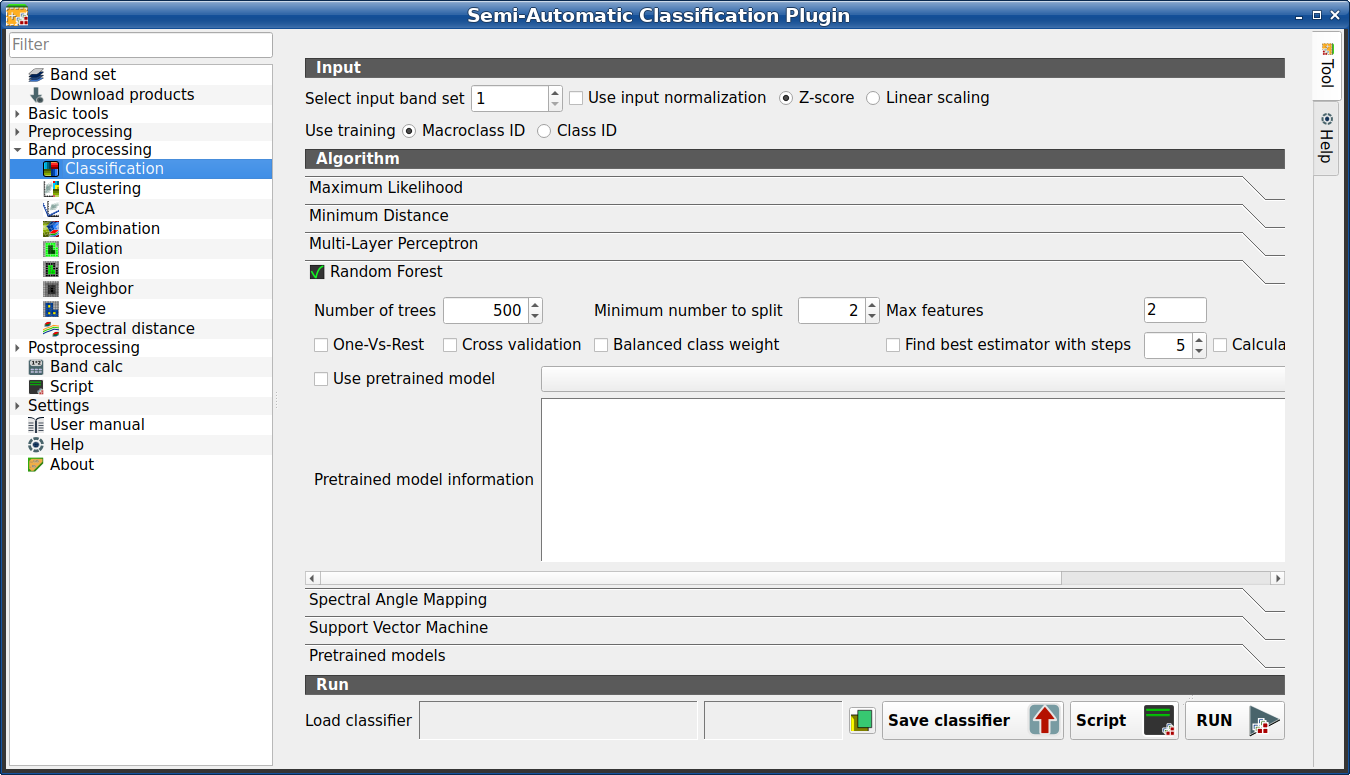
Use the Random Forest algorithm.
Tool symbol and name |
Description |
|---|---|
Number of trees |
set the number of trees |
Minimum number to split |
set the minimum number of samples required to split an internal node |
Max features |
for node splitting, if empty all features are considered; if sqrt the square root of all the features, if integer number the number of features; if float number a fraction of all the features |
|
if checked, perform One-Vs-Rest classification (read more) |
|
if checked, perform cross validation |
|
if checked, balanced weight is computed inversely proportional to class frequency |
|
if checked, find the best estimator iteratively with a number of steps |
|
if checked, calculate classification confidence raster |
|
if checked, use the selected pretrained model from the list |
Pretrained model information |
information about the selected pretrained model, in particular about the requirements (which input bands), band normalization, and model source. |
Cross validation is a function provided by scikit-learn to
avoid overfitting by splitting the training set into k smaller sets
(read more .
In particular, the function StratifiedKFold (with parameters n_splits=5,
shuffle=True) is used to create 5 sets, each one containing approximately the
same percentage of samples for each class as the complete set.
This option can potentially increase significantly the computation time.
If Find best estimator with steps is checked, the algorithm tries to find the best estimator iteratively with the defined number of steps (the more the steps, the slower the process will be), by changing the algorithm parameters.
If One-Vs-Rest is checked, the algorithm performs One-Vs-Rest classification which basically fits one classifier per class.
If Balanced class weight is checked, the algorithm gives all classes equal weight with a balanced weight that is computed inversely proportional to class frequency in the training data.
Pretrained models can be selected to create embeddings which are used with training input to train the classifier. The following Pretrained models are available for classification:
Swin-v2-Base model for Sentinel-2 single image. Requirements: Sentinel-2 bandset (TCI RGB (B04, B03, B02), TOA bands B05, B06, B07, B08, B11, B12). Normalization: TCI RGB bands divided by 255; B05, B06, B07, B08, B11, B12 divided by 8160 and clipped to 0-1. Framework: PyTorch. Source: Sentinel2_SwinB_SI_MS, pretrained by the Allen Institute for Artificial Intelligence (SatlasPretrain: https://satlas-pretrain.allen.ai). The model weights are released under the Open Data Commons Attribution License (ODC-BY). The repository code is licensed under the Apache License 2.0 (https://huggingface.co/allenai/satlas-pretrain). This tool downloads the official SatlasPretrain weights (Bastani et al., “SatlasPretrain: A Large-Scale Dataset for Remote Sensing Image Understanding”, ICCV 2023, arXiv:2211.15660, https://doi.org/10.48550/arXiv.2211.15660). All model weights remain the property of their respective authors.
Swin-v2-Tiny model for Sentinel-2 single image. Requirements: Sentinel-2 bandset (TCI RGB (B04, B03, B02), TOA bands B05, B06, B07, B08, B11, B12). Normalization: TCI RGB bands divided by 255; B05, B06, B07, B08, B11, B12 divided by 8160 and clipped to 0-1. Framework: PyTorch. Source: Sentinel2_SwinT_SI_MS, pretrained by the Allen Institute for Artificial Intelligence (SatlasPretrain: https://satlas-pretrain.allen.ai). The model weights are released under the Open Data Commons Attribution License (ODC-BY). The repository code is licensed under the Apache License 2.0 (https://huggingface.co/allenai/satlas-pretrain). This tool downloads the official SatlasPretrain weights (Bastani et al., “SatlasPretrain: A Large-Scale Dataset for Remote Sensing Image Understanding”, ICCV 2023, arXiv:2211.15660, https://doi.org/10.48550/arXiv.2211.15660). All model weights remain the property of their respective authors.
Swin-v2-Base model for Landsat 8 or Landsat 9 single image. Requirements: Landsat 8 or Landsat 9 bandset (Collection 2 Level-1 bands B01, B02, B03, B04, B05, B06, B07, B08, B09, B10, B11); Normalization: (band - 4000)/16320 and clipped to 0-1. Framework: PyTorch. Source: Landsat_SwinB_SI, pretrained by the Allen Institute for Artificial Intelligence (SatlasPretrain: https://satlas-pretrain.allen.ai). The model weights are released under the Open Data Commons Attribution License (ODC-BY). The repository code is licensed under the Apache License 2.0 (https://huggingface.co/allenai/satlas-pretrain). This tool downloads the official SatlasPretrain weights (Bastani et al., “SatlasPretrain: A Large-Scale Dataset for Remote Sensing Image Understanding”, ICCV 2023, arXiv:2211.15660, https://doi.org/10.48550/arXiv.2211.15660). All model weights remain the property of their respective authors.
Tüyo
The installation of PyTorch is required to run pretrained models. Please note that each model has specific characteristics and specific preprocessing of input image.
3.4.5.1.2.5. Spectral Angle Mapping
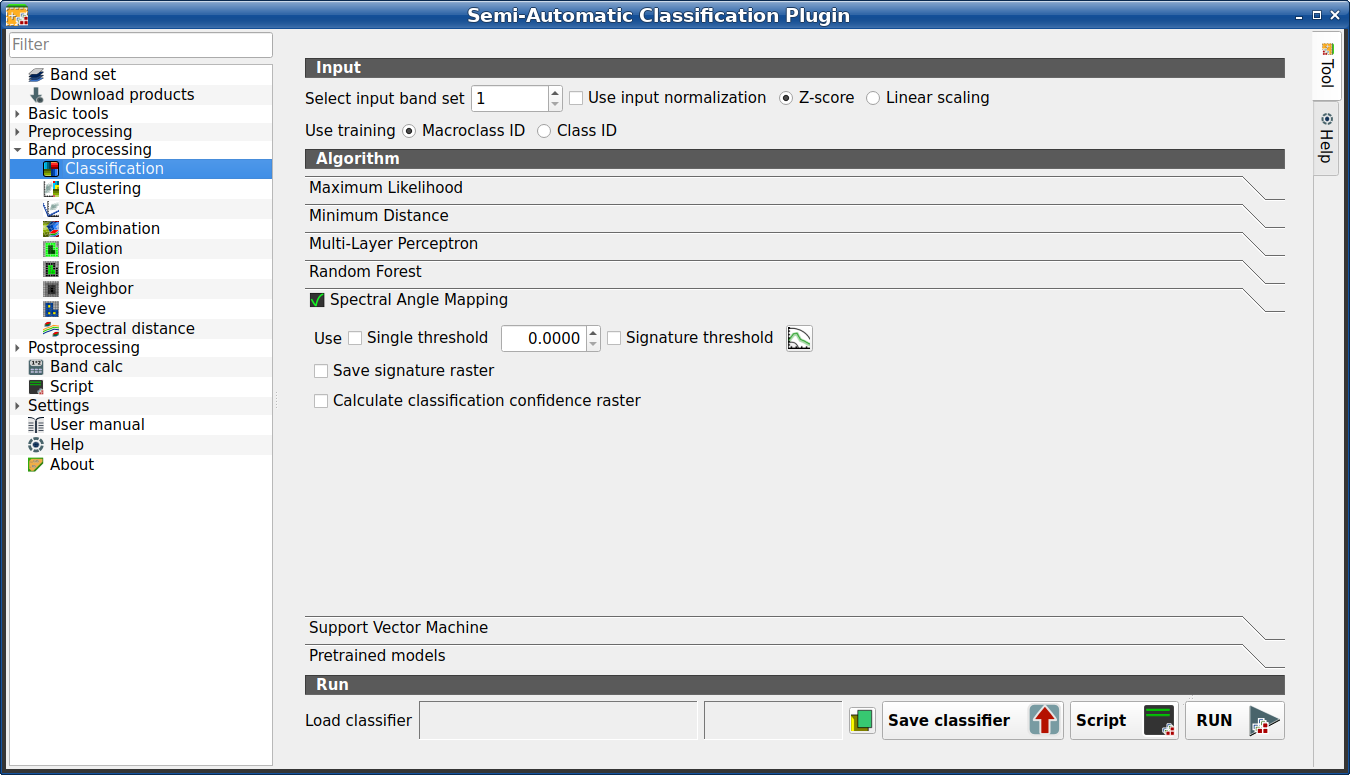
Spectral Angle Mapping
Use the Spectral Angle Mapping algorithm.
Tool symbol and name |
Description |
|---|---|
Use single threshold |
if checked, it allows for the definition of a classification threshold (applied to all the spectral signatures); pixels are unclassified if spectral angle distance is greater than threshold value (max 90) |
Signature threshold |
if checked, thresholds Signature threshold (complete interface) are evaluated |
|
open the Signature threshold (complete interface) for the definition of signature thresholds |
|
if checked, in addition to the classification raster, for each spectral signature a raster is saved in the same output directory, which represents the distance between pixel and signature |
|
if checked, calculate classification confidence raster |
3.4.5.1.2.6. Support Vector Machine
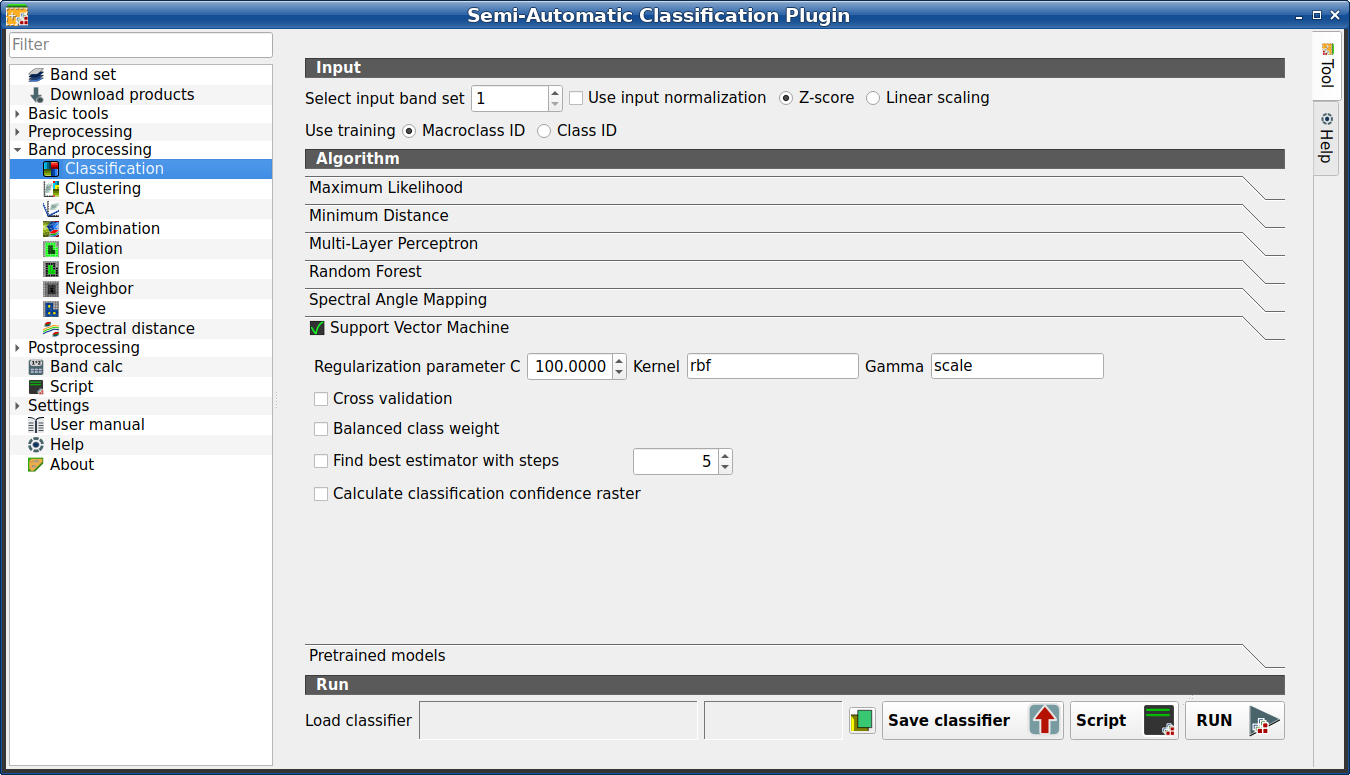
Support Vector Machine
Use the Support Vector Machine algorithm.
Tool symbol and name |
Description |
|---|---|
Regularization parameter C |
set the regularization parameter C |
Kernel |
set the kernel (default: rbf) |
Gamma |
set the kernel coefficient gamma (default: scale) |
|
if checked, perform cross validation |
|
if checked, balanced weight is computed inversely proportional to class frequency |
|
if checked, find the best estimator iteratively with a number of steps |
|
if checked, calculate classification confidence raster |
Cross validation is a function provided by scikit-learn to
avoid overfitting by splitting the training set into k smaller sets
(read more .
In particular, the function StratifiedKFold (with parameters n_splits=5,
shuffle=True) is used to create 5 sets, each one containing approximately the
same percentage of samples for each class as the complete set.
This option can potentially increase significantly the computation time.
If Find best estimator with steps is checked, the algorithm tries to find the best estimator iteratively with the defined number of steps (the more the steps, the slower the process will be), by changing the algorithm parameters.
If Balanced class weight is checked, the algorithm gives all classes equal weight with a balanced weight that is computed inversely proportional to class frequency in the training data.
3.4.5.1.2.7. Pretrained models
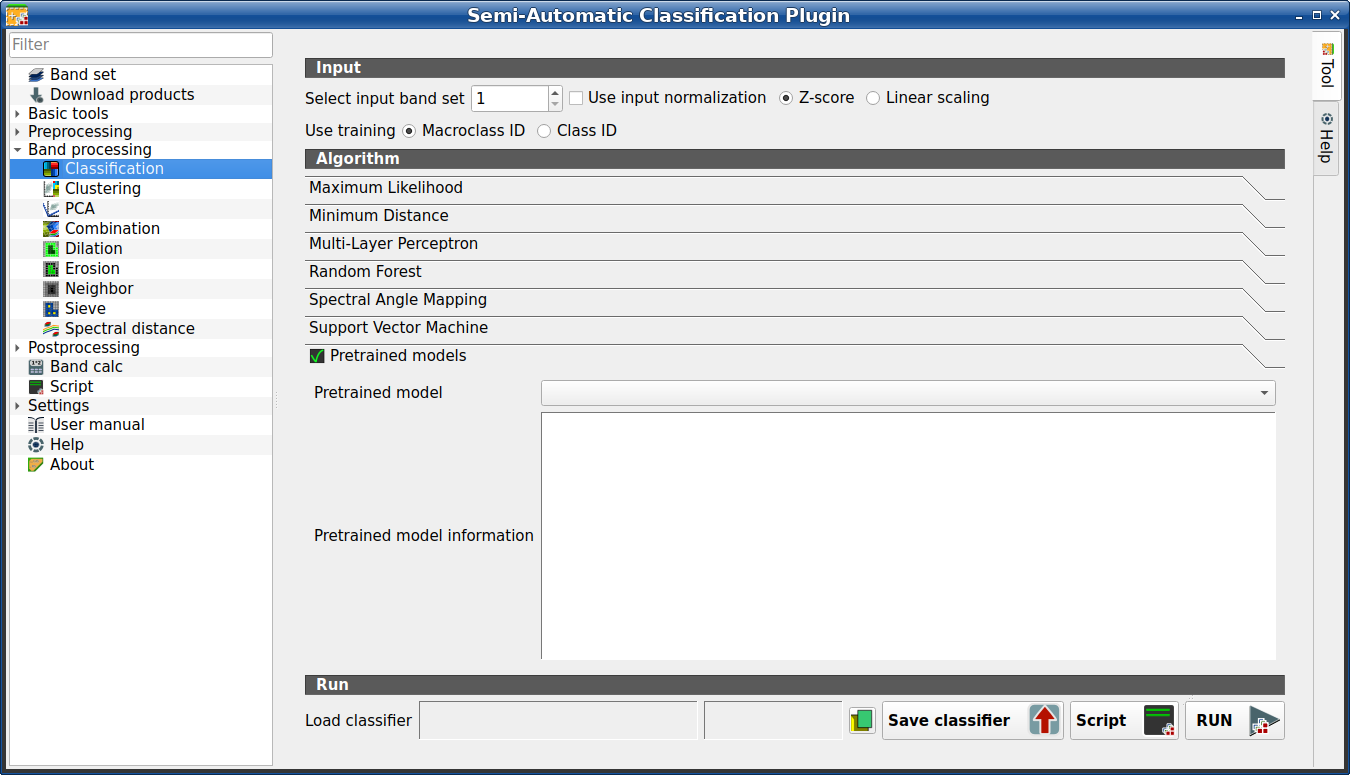
Pretrained models
Use of Pretrained models.
Tool symbol and name |
Description |
|---|---|
Pretrained model |
select a pretrained model |
Pretrained model information |
information about the selected pretrained model, in particular about the requirements (which input bands), band normalization, and model source. |
The following Pretrained models are available for classification:
Swin-v2-Base segmentation for Sentinel-2 single image (4 bands). Requirements: Sentinel-2 bandset (TCI RGB (B04, B03, B02), TOA bands B08). Normalization: TCI RGB bands divided by 255; B08 divided by 8160 and clipped to 0-1. Output classes: background, water, developed, tree, shrub, grass, crop, bare, snow, wetland, mangroves, moss. Source: Satlas_MS_tci-b08_epoch150, pretrained by DPR Team as part of the DPR Zoo Segmentation Hub framework (https://github.com/DPR25/dpr-zoo-segmentation-hub) based on SatlasPretrain models (https://satlas-pretrain.allen.ai). The repository code is licensed under the MIT License (https://huggingface.co/martinkorelic/dpr-zoo-models). This tool downloads the model weights (DPR Team, 2025. Made as part of Arnes Hackathon 2025). All model weights remain the property of their respective authors.
Swin-v2-Base segmentation for Sentinel-2 single image (3 bands). Requirements: Sentinel-2 bandset (TCI RGB (B04, B03, B02)). Normalization: TCI RGB bands divided by 255. Output classes: background, water, developed, tree, shrub, grass, crop, bare, snow, wetland, mangroves, moss. Source: Satlas_RGB1_epoch70, pretrained by DPR Team as part of the DPR Zoo Segmentation Hub framework (https://github.com/DPR25/dpr-zoo-segmentation-hub) based on SatlasPretrain models (https://satlas-pretrain.allen.ai). The repository code is licensed under the MIT License (https://huggingface.co/martinkorelic/dpr-zoo-models). This tool downloads the model weights (DPR Team, 2025. Made as part of Arnes Hackathon 2025). All model weights remain the property of their respective authors.
The first time a pretrained models is selected, the weights thereof are downloaded and saved in the plugin directory.
Tüyo
The installation of PyTorch is required to run pretrained models. Please note that each model has specific characteristics and specific preprocessing of input image.
3.4.5.1.3. Run
It is possible to run the classification, or save and load a trained classifier.
Classification raster is a file .tif (a QGIS style file .qml is saved
along with the classification); also other outputs can be optionally calculated.
Outputs are loaded in QGIS after the calculation.
Tool symbol and name |
Description |
|---|---|
Load classifier |
open an already save classifier file (.rsmo) |
Save classifier |
save the classifier to file (.rsmo), in order to be loaded later |
RUN |
run this function |


