3.4.3.1. Import signatures
The tab  Import signatures allows for
importing spectral signatures from various sources.
Import signatures allows for
importing spectral signatures from various sources.
3.4.3.1.1. Import library file
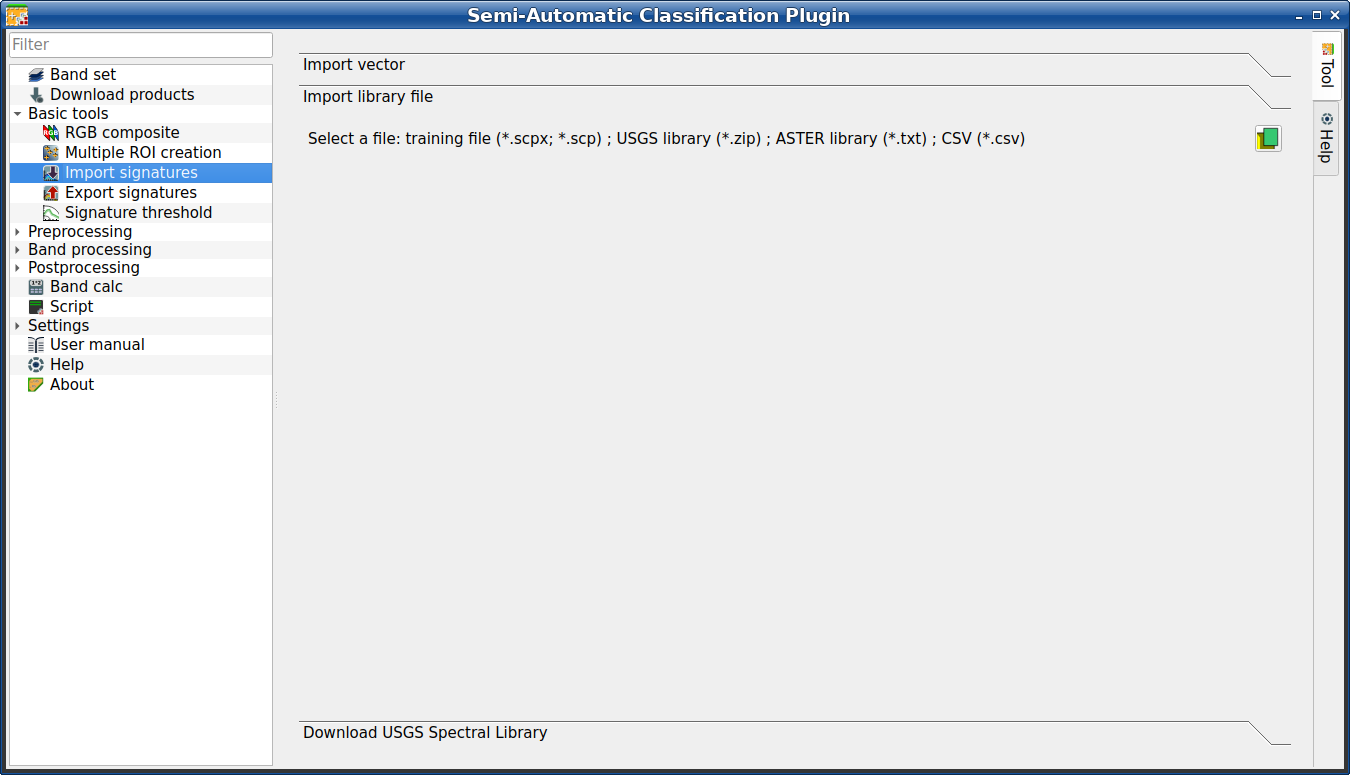
Import library file
This tool allows for importing spectral signatures from various sources:
a previously saved Training input (.scpx file); a USGS Spectral
Library (.asc file); a previously exported .csv file.
In case of USGS Spectral Library, the library is automatically sampled
according to the image band wavelengths defined in the Band set (complete interface),
and added to the ROI & Signature list;
Tool symbol and name |
Description |
|---|---|
Select a file |
open a file to be imported in the Training input |

3.4.3.1.2. Import vector
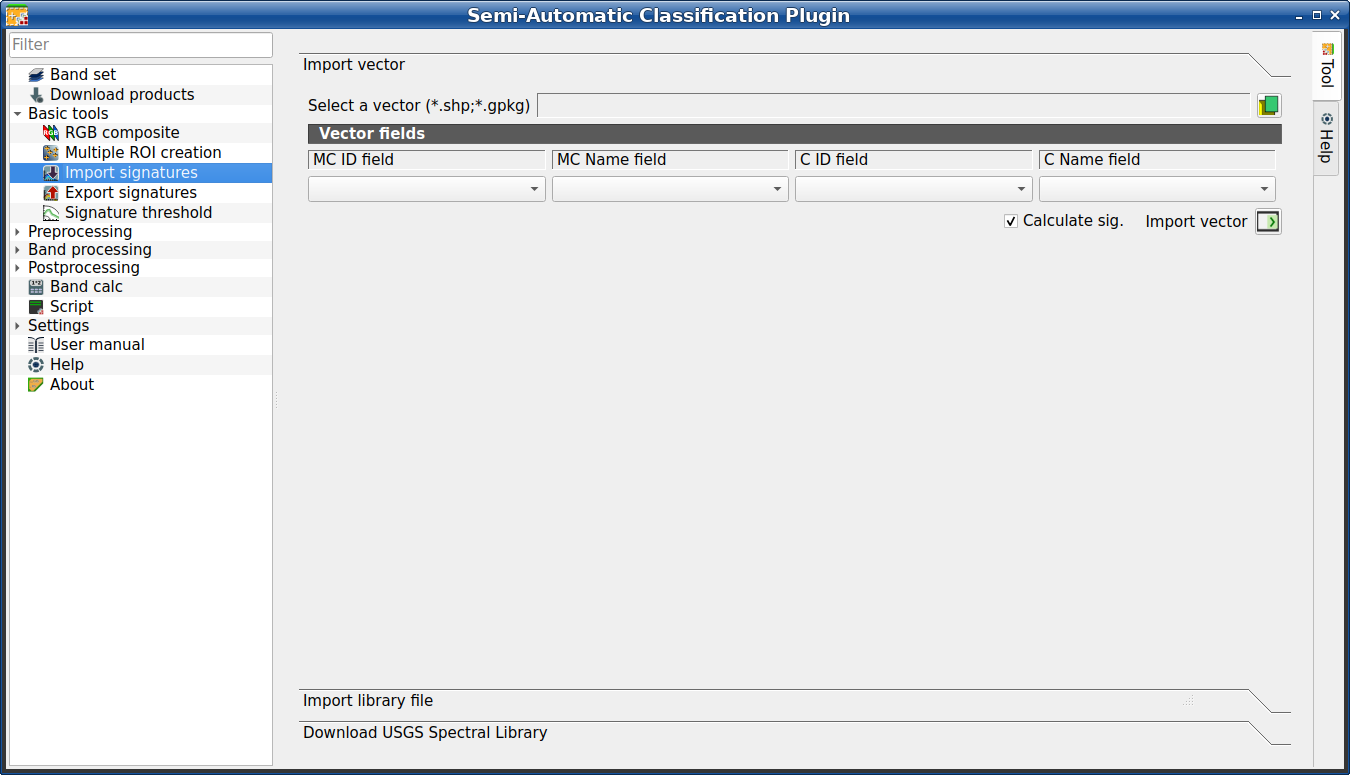
Import vector
This tool allows for importing a vector (shapefile or geopackage), selecting the corresponding fields of the Training input.
Tool symbol and name |
Description |
|---|---|
Select a vector |
open a vector |
MC ID field |
select the vector field corresponding to MC ID |
MC Name field |
select the vector field corresponding to MC Name |
C ID field |
select the vector field corresponding to C ID |
C Name field |
select the vector field corresponding to C Name |
|
if checked, the spectral signature is calculated while the ROI is saved to Training input |
Import vector |
import all the vector polygons as ROIs in the Training input |


3.4.3.1.3. Download USGS Spectral Library
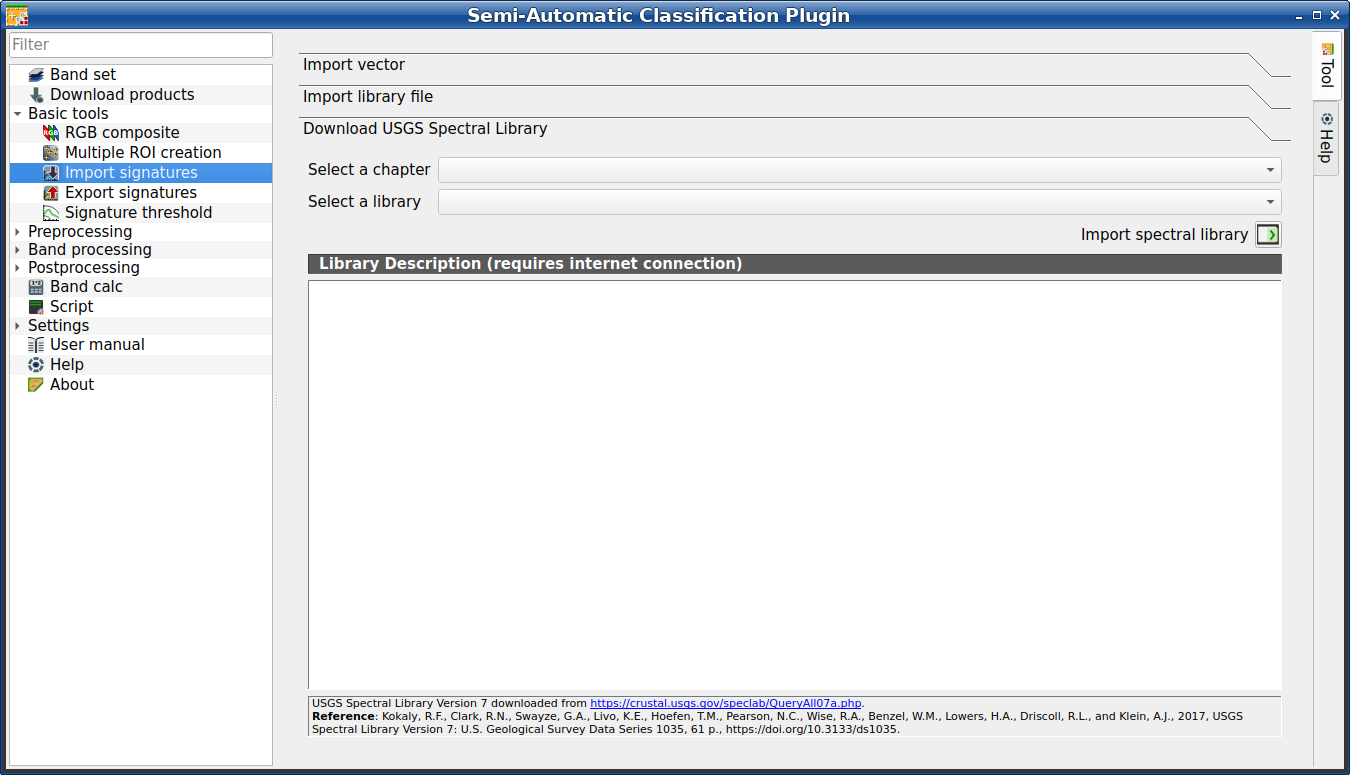
Download USGS Spectral Library
The tab Download USGS Spectral Library allows for the download of the USGS spectral library (Clark, R.N., Swayze, G.A., Wise, R., Livo, E., Hoefen, T., Kokaly, R., Sutley, S.J., 2007, USGS digital spectral library splib06a: U.S. Geological Survey, Digital Data Series 231).
The libraries are grouped in chapters including Minerals, Mixtures, Coatings, Volatiles, Man-Made, Plants, Vegetation Communities, Mixtures with Vegetation, and Microorganisms.
An internet connection is required.
Tool symbol and name |
Description |
|---|---|
Select a chapter |
select one of the library chapters; after the selection, chapter libraries are shown in Select a library |
Select a library |
select one of the libraries; the library description is displayed in the frame Library description |
Import spectral library |
download the library and add the sampled spectral signature to the ROI & Signature list using the parameters defined for class and macroclass; the library is automatically sampled according to the image band wavelengths defined in the active band set in Band set (complete interface), and added to the ROI & Signature list |
Tüyo
Spectral libraries downloaded from the USGS Spectral Library can be
used with Minimum Distance or Spectral Angle Mapping algorithms, but not
Maximum Likelihood because this algorithm needs the covariance matrix that
is not included in the spectral libraries.